Full Stack SaaS
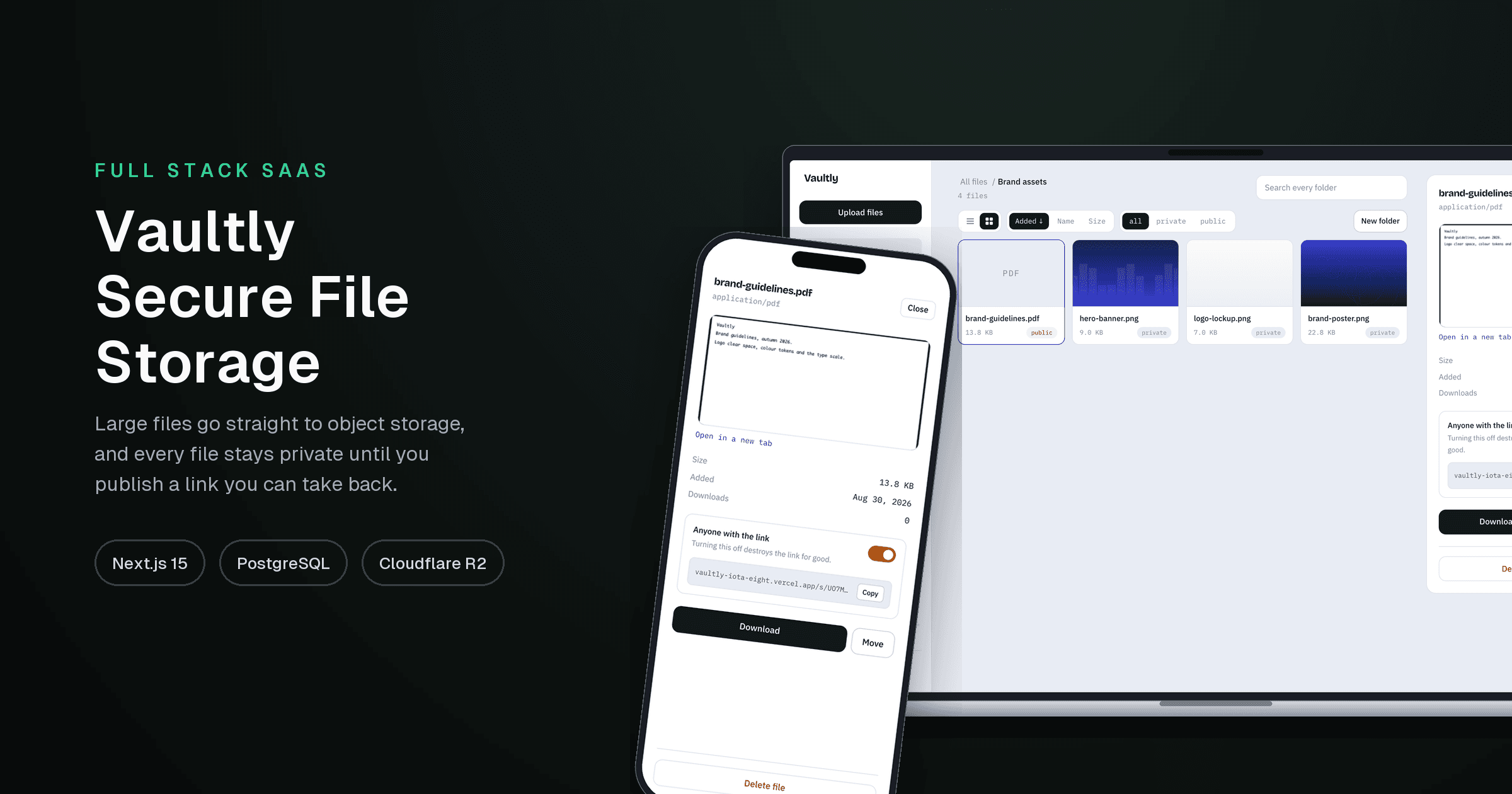
Vaultly — Secure File Storage
File storage where a 500 MB upload costs the server two small JSON requests: the browser sends chunks straight to object storage, and every file is private until you publish a link you can take back.
- Largest file
- 512 MB
- Through the server
- 0 bytes
- Tests
- 58
- Link lifetime
- 5 min
Screens
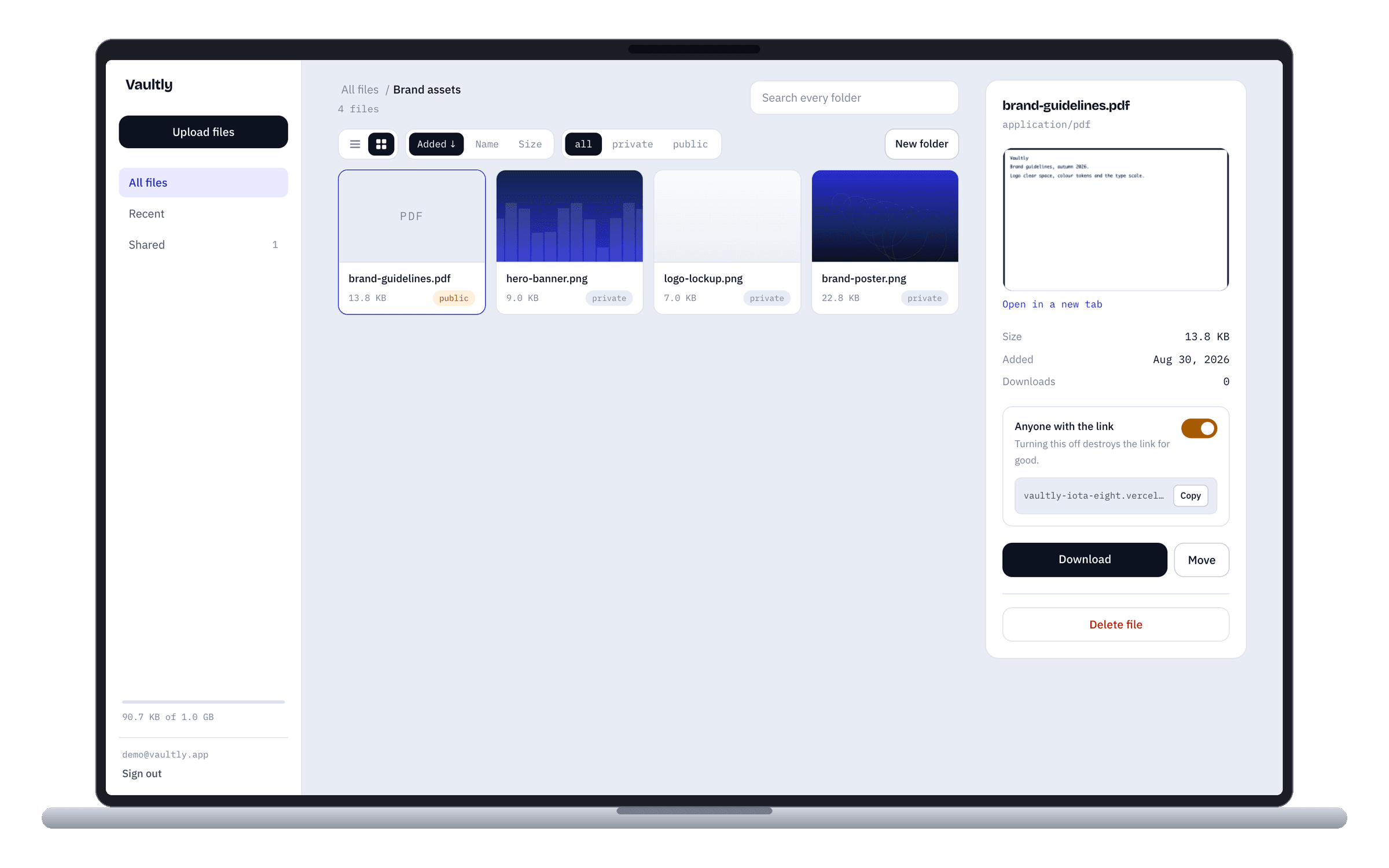
Grid view inside a folder. The inspector carries the one control that matters — a labelled switch with its consequence written under it, and the share link beside a copy button.
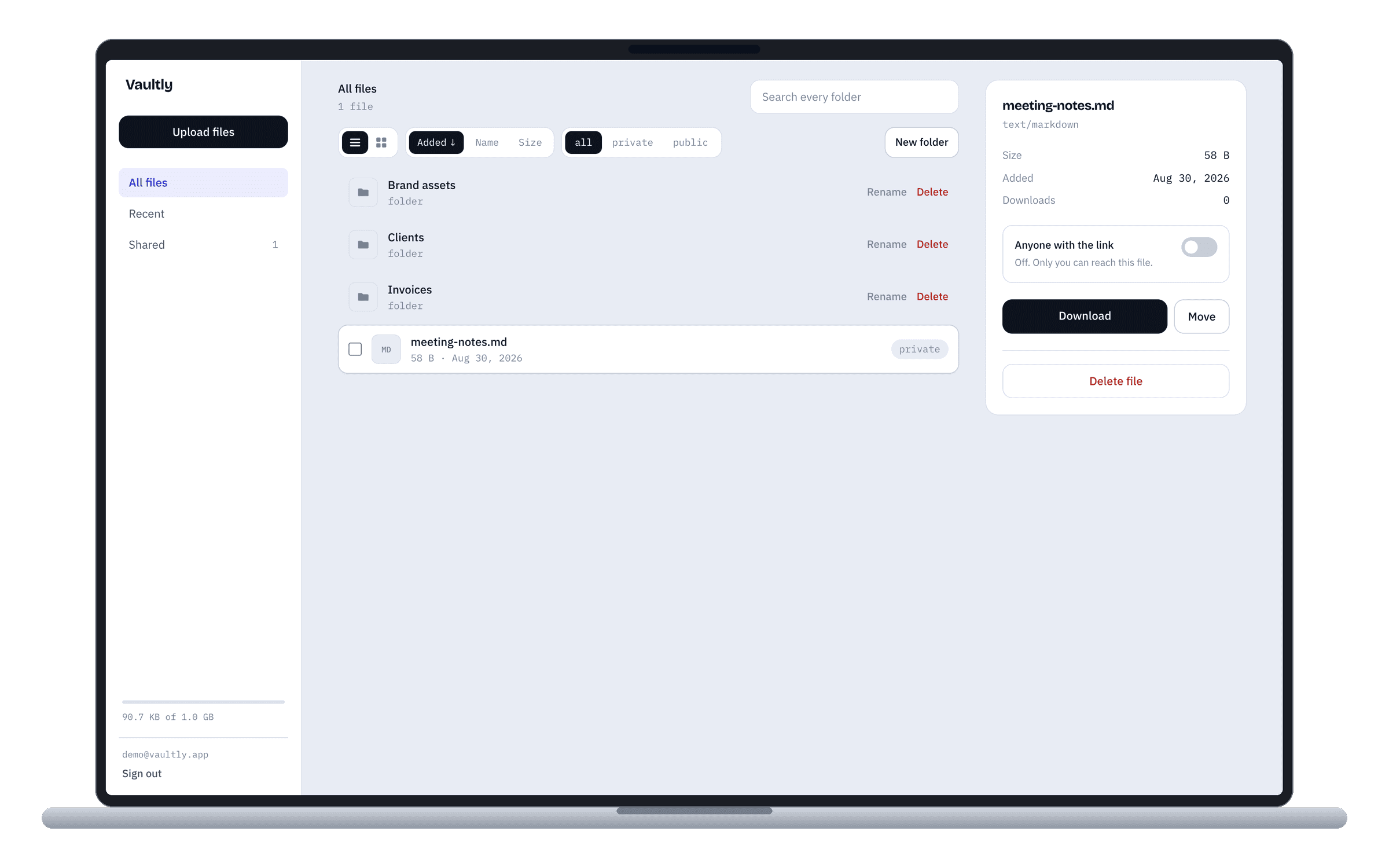
The list view, with folders above files and everything selectable. The same data drives both views; the toggle only changes how a row is drawn.
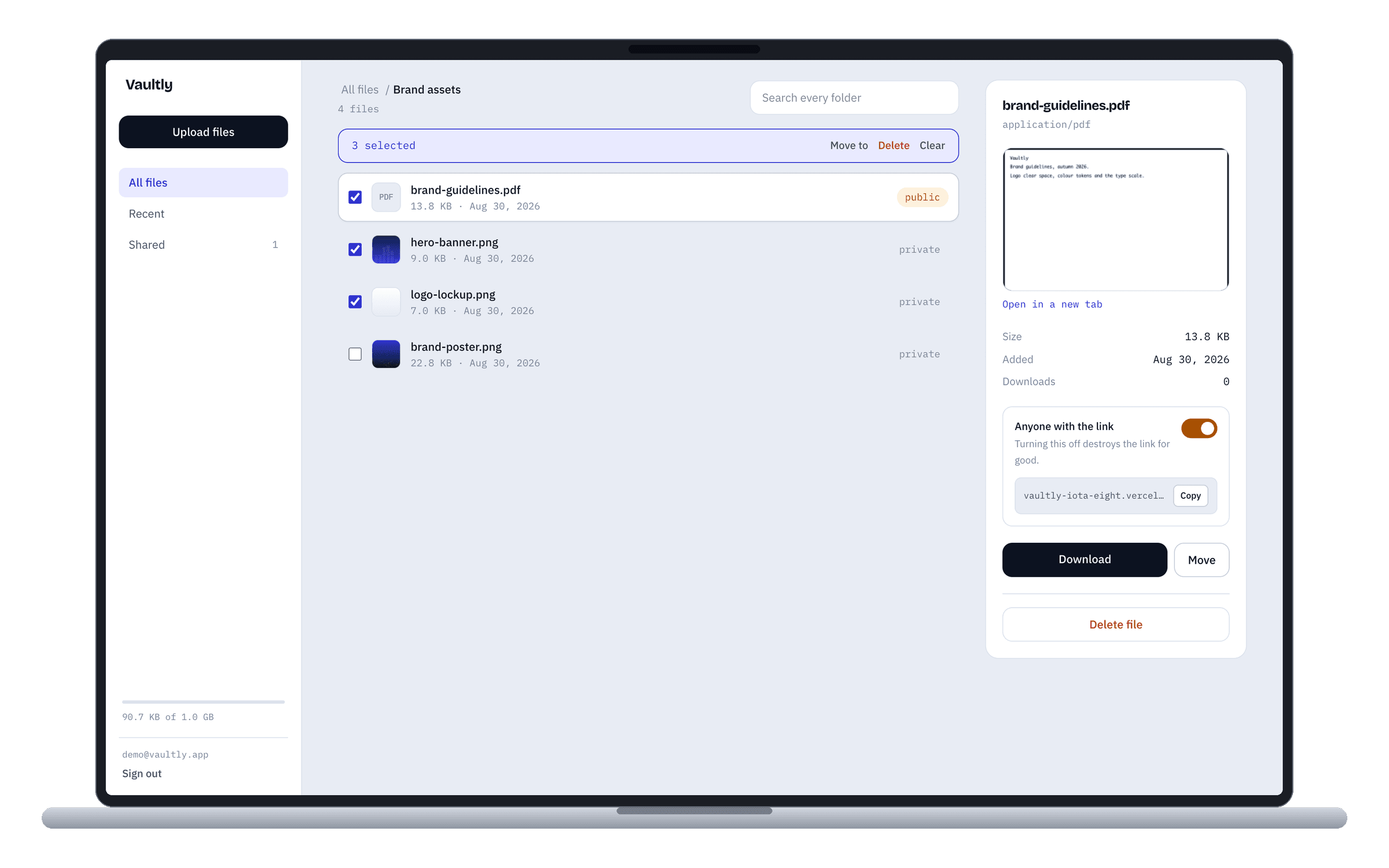
Selecting files replaces the toolbar with what you can do to them. Ten files means one confirmation dialog, not ten.
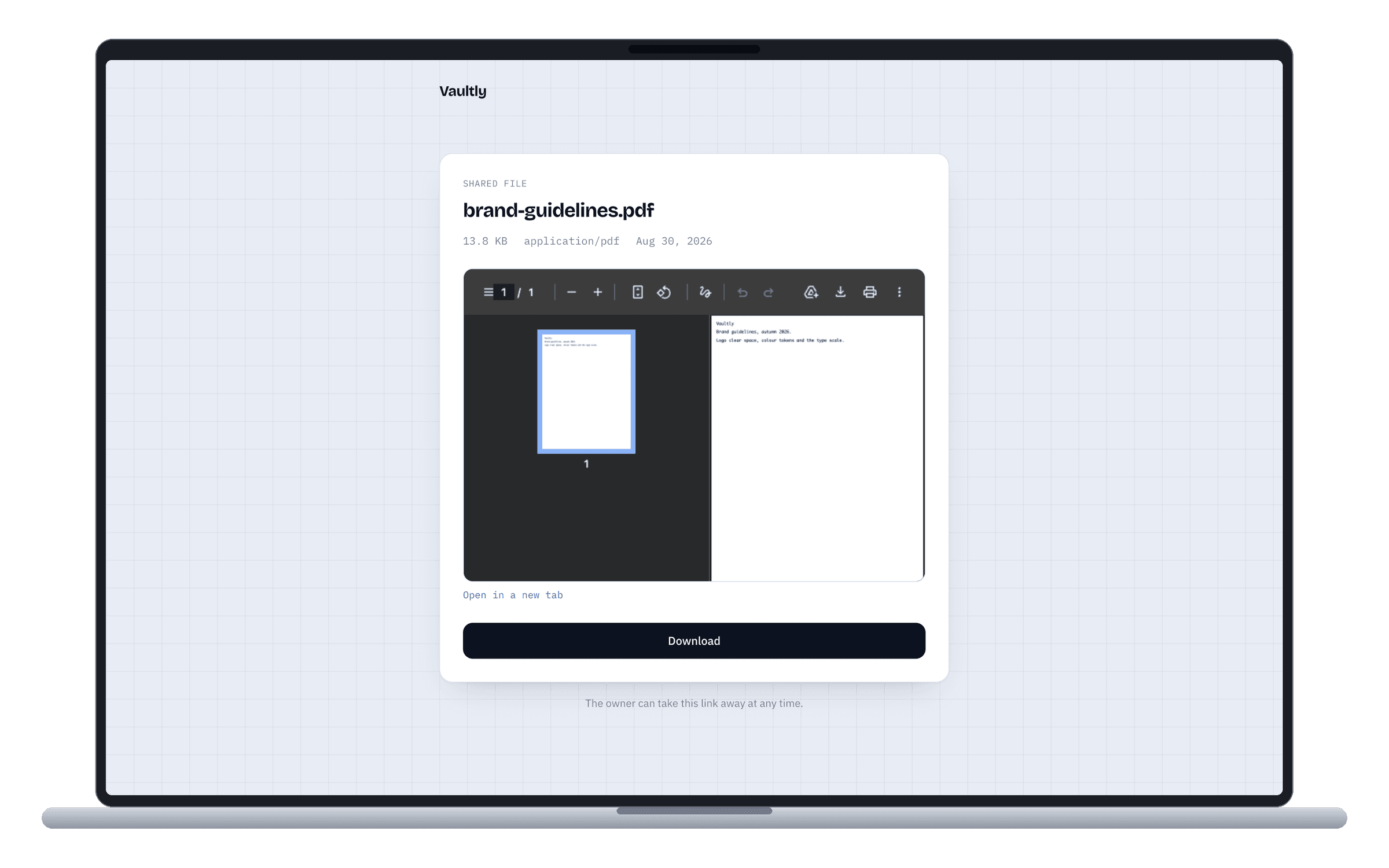
What someone with the link sees. No account, no dashboard — the file, its facts, a preview, and a download served from a URL that expires in five minutes.
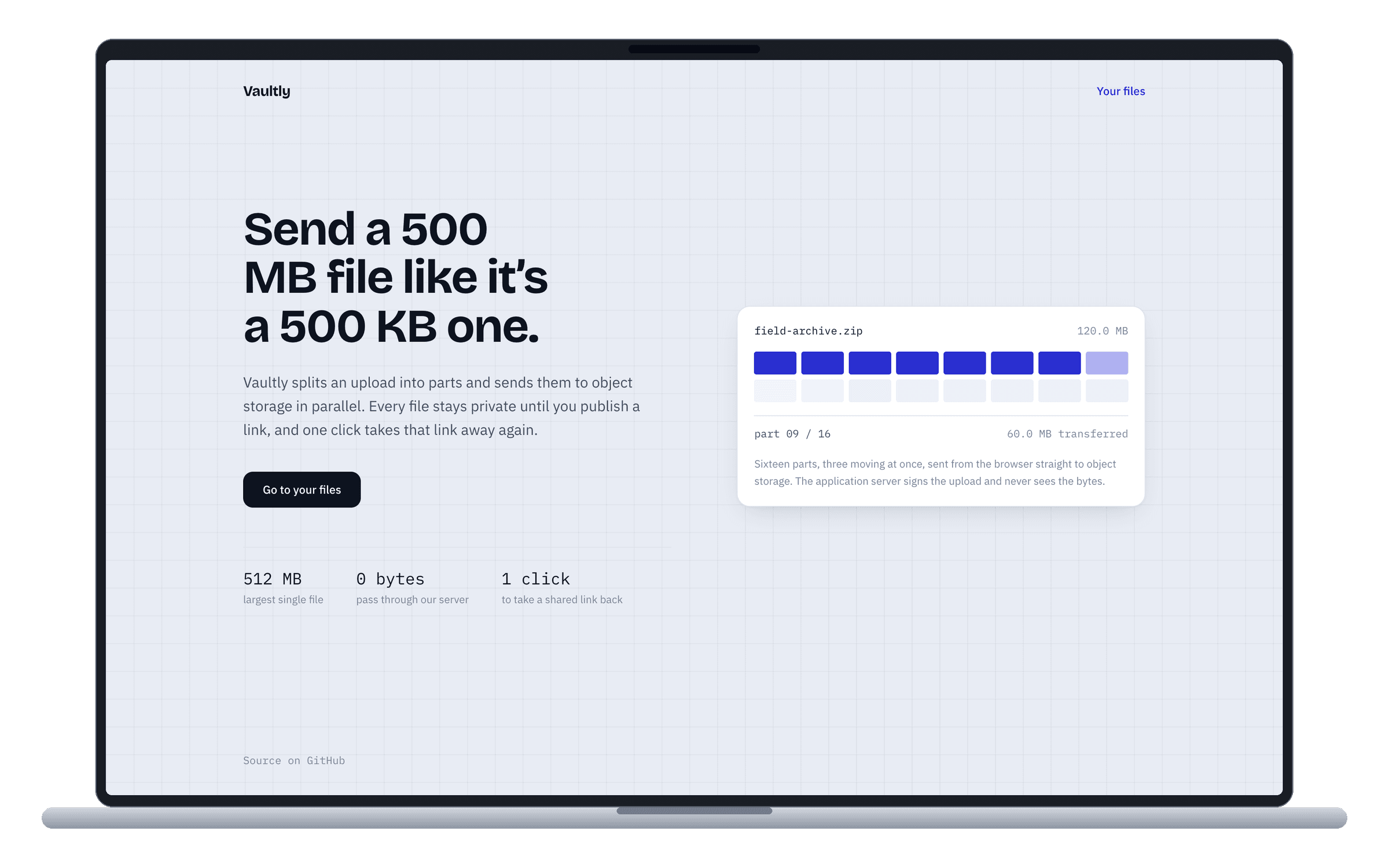
The landing page animates the real upload model: sixteen parts, three moving at once, going straight to storage. It is the product's thesis rather than decoration.
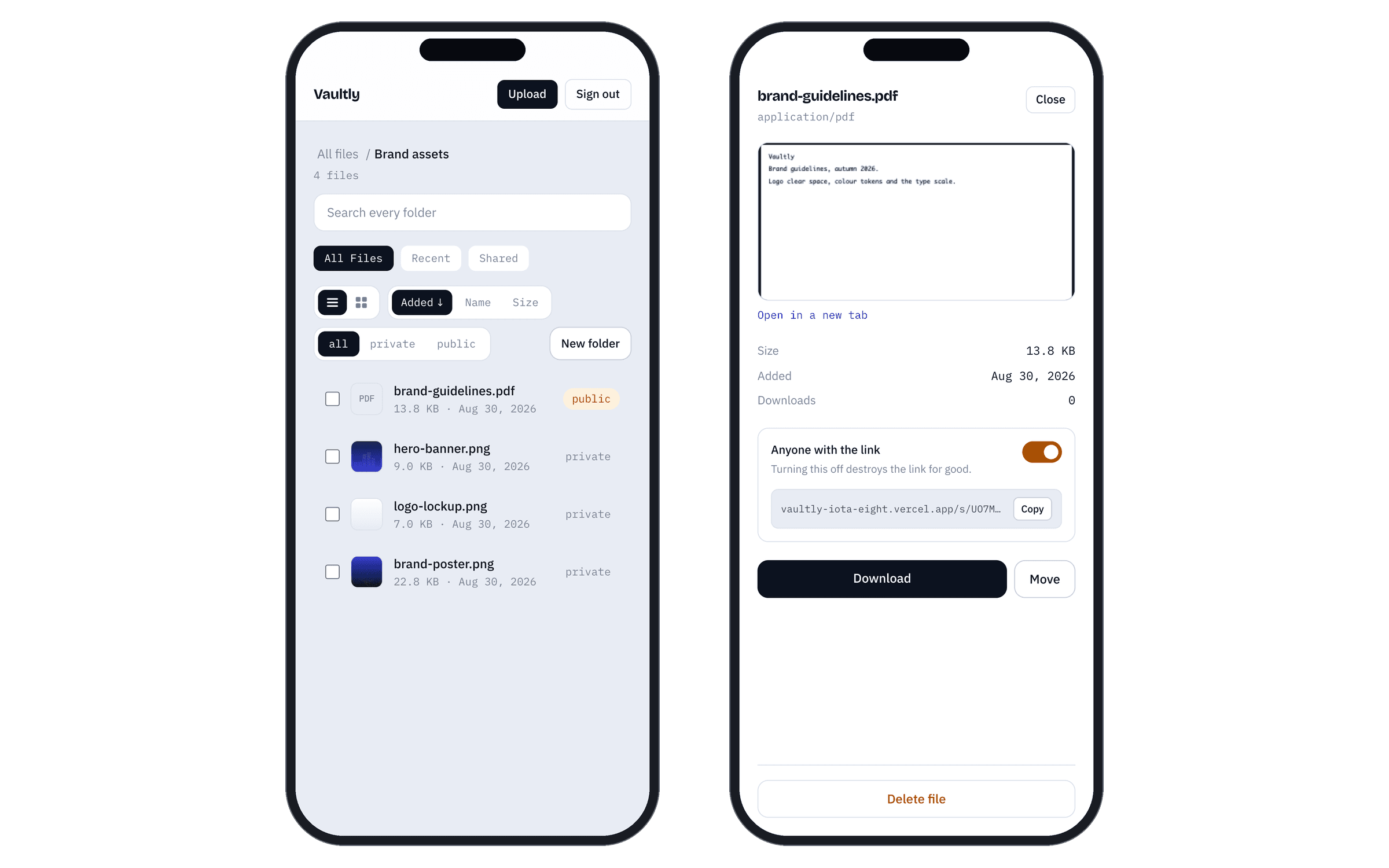
On a phone the inspector becomes a full screen sheet, so you land on your files rather than on a file. Auto-selection only happens where the panel has a column to sit in.
Overview
Most file upload code proxies bytes through the server: the browser posts to an endpoint, the endpoint streams to storage. It works until the file is large, and then it blocks the event loop, caps out on the host's request body limit, and dies somewhere past a hundred megabytes. Vaultly never does it. The browser asks the API to start an upload, the API validates the name, MIME type, size and the account's quota, opens an S3 multipart upload and hands back presigned URLs. The browser PUTs the chunks directly to Cloudflare R2, three at a time, retrying individual parts rather than restarting the transfer. A 500 MB upload costs the API two small JSON requests, which is also why it runs on serverless without ever meeting the 4.5 MB request limit. That design creates a problem it has to solve: if the server never sees the bytes, it cannot trust what arrived. So completion is a verification step. The server calls HeadObject and compares the real object size against the size the client declared before uploading, then reads the first four kilobytes back and sniffs the actual file signature. A mismatch, or an executable signature, deletes the object and fails the request. Rows are written as 'pending' and only flip to 'ready' once that passes, so an abandoned upload never appears in anyone's dashboard. Building the test fixtures for this found a real hole: file-type reports a Mach-O binary as application/java-vm, because a macOS executable and a Java class file share the magic number 0xCAFEBABE, and that MIME was missing from the reject list — so a renamed macOS binary passed the content check until it didn't. Authorization is a WHERE clause rather than a check after the fetch, so no code path ever loads another user's row. A file that exists but belongs to someone else returns 404 rather than 403, because telling you a file exists is still telling you something. Objects are never publicly readable: every download is authorised first and then served as a redirect to a URL that expires in five minutes. Public links use a 22-character random slug instead of the database id, and switching a file back to private drops the slug, which permanently kills the link that was already shared. Refresh tokens rotate on every use and are stored hashed; presenting one that was already exchanged means it leaked, so the whole token family is revoked. The interface went through three rounds of rebuilding. It started as a list of filenames, which is fine for seven files and useless for two hundred. It is now a file manager: nested folders with breadcrumbs, drag a file onto a folder or onto a breadcrumb to move it, multi-select with shift-click for bulk move and delete, sorting by name, size or date, and a list/grid toggle where images show their own thumbnails. Search looks across every folder and tells you which one each result lives in, because knowing a file exists without knowing where it is helps nobody. The right-hand inspector exists so the product's central idea — a link you hand out and can take back — is a labelled switch with its consequence written underneath, rather than a chip buried in a table row.
Key Features
- Presigned S3 multipart uploads: bytes go browser to storage, three parts in flight, per-part retry
- Post-upload verification — real size checked against the declared size, magic bytes sniffed from a 4 KB range read
- Executables rejected on signature, including the Mach-O/Java 0xCAFEBABE collision
- Ownership enforced in the WHERE clause; another account's file returns 404, never 403
- Share links are unguessable slugs, and revoking one destroys it permanently
- Rotating refresh tokens with family-wide revocation when a used token is replayed
- Nested folders with breadcrumbs, drag-to-move, and cascade delete that states the cost first
- Bulk selection with shift-click ranges, bulk move and bulk delete
- Keyset pagination on (created_at, id) that stays correct under any sort order
- Rate limiting held in Postgres, because serverless instances share no memory
- Migrations run inside the Vercel build, so code can never deploy ahead of its schema